

If you feel exhausted from having to create and keep track of an ever-growing number of passwords, you’re not alone. A 2019 study by Google found that about 65 per cent of people reuse their passwords for some, if not all, of their online accounts and subscriptions.
“Password fatigue” is a growing problem – and leads to people writing down passwords, or reusing the same one (or a slight variation) repeatedly. It can result in data breaches, identity theft, and ultimately financial losses.
Experts say most security breaches are not caused by sophisticated hacking; they result from common password mistakes that quietly weaken multiple accounts at once. The National Cyber Security Centre, part of GCHQ, has announced that passkeys, a newer method for logging into online accounts, should now be consumers’ first choice for logging in across all digital services. With passkeys, instead of creating and remembering a password, your device handles the authentication for you, usually using biometrics like a fingerprint or face ID, or a secure device PIN.
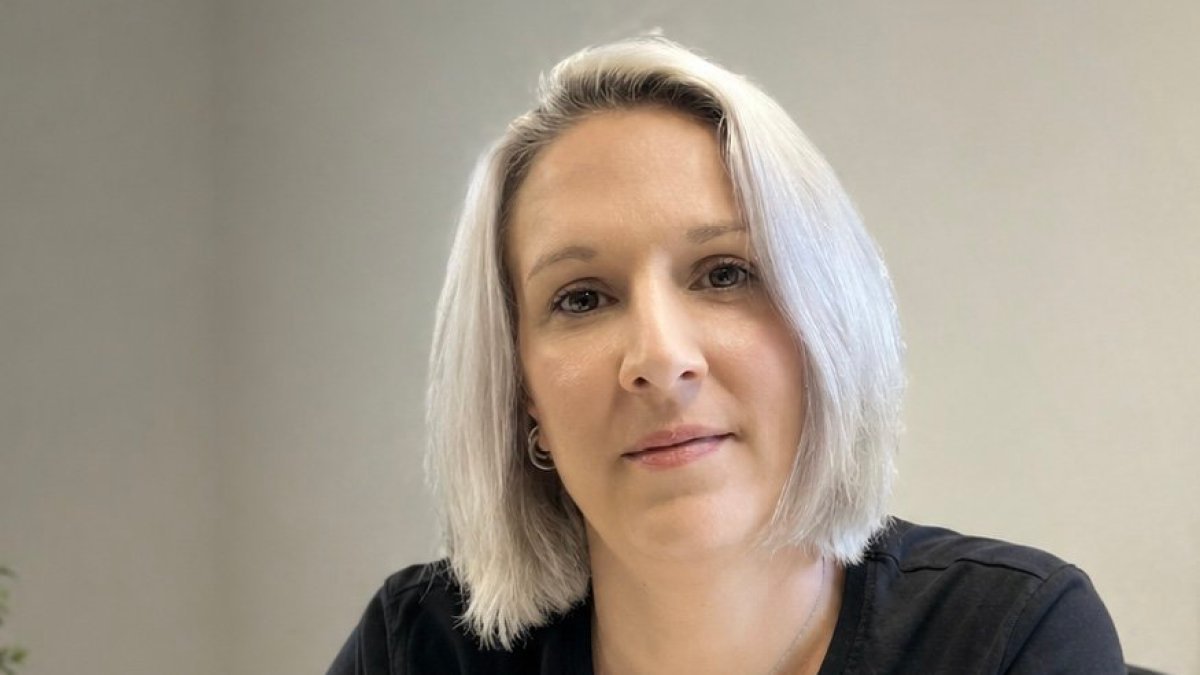
We spoke to Jemma Davis, founder of Culture Gem, and a specialist in cyber behaviour and accessible security awareness, to find out how to keep your passwords and data safe.
Stop reusing the same password across multiple sites
If you have one good, strong password, it can be tempting to use it across multiple sites, so you always remember it. But as Davis explains, the issue is that a single breach can trigger a domino effect. “If a password is exposed on one site and the same one is used elsewhere, attackers will try it across email, shopping accounts, social media, and banking. That is what makes reuse so risky. It is not just about one account being affected; it is about the knock-on effect across your whole digital life.”
This tactic, known as credential stuffing, is an incredibly effective type of cyber attack in which attackers use previously leaked usernames and passwords to try to log in to other websites. Because the process is automated, attackers can test thousands of login combinations in minutes. Even strong passwords can fail if they are reused. So, as tempting as it is to keep the same password for multiple sites, the risk is too great.
Some passwords look strong, but are predictable
Passwords that replace a letter with a number, like substituting an I for !, might look secure at a glance, but they follow predictable patterns that password-cracking tools are designed to detect. Davis says password strength is determined far more by length and randomness than by complexity alone. Longer passphrases made of unrelated words are significantly harder to crack than short, complex-looking strings.
Davis says, “A password needs to be unique, and ideally longer than 12 characters, rather than just being visually complicated”.
Better to write logins in a notebook than an app
Davis warns against logging all your passwords in your notes app. “If a device is compromised, synced insecurely, or left unlocked, those credentials may be very easy to access.”
A password book kept at home sounds like a bad idea, but Davis says it’s often a perfectly reasonable coping strategy, especially for people managing lots of accounts, or for those who need a system that works in the real world. “The motivation of someone stealing a notebook is usually not cyber crime. That risk is very different from reusing the same password across multiple online accounts. The bigger issue is whether the method helps the person stay organised without creating wider exposure.”
Always use a password manager
Using a password manager secures your online accounts by generating, storing, and auto-filling complex, unique passwords in an encrypted vault, so you only need to remember one master password. Davis says password managers are a great option because they reduce the pressure to remember everything. “They make it much more realistic than using a different password for every account. They are not the only acceptable solution, but they are one of the most practical ones, particularly for people with lots of online accounts.”
You can download a password manager app on your phone or tablet, or use one on a website in your browser. Whichever type you use, once you’ve logged into it, it will store your passwords for all your online accounts in a safe place. One of the main benefits of a third-party password manager over one in your browser is that it can synchronise passwords even when you have a mix of different browsers and devices.
.. and Two-Factor Authentication
With Two-Factor Authentication (2FA), rather than depending on a single password, access is granted only after a second verification step is completed. This may involve entering a temporary code that is sent to you by text or email, approving a request in an authentication app, or using a hardware security key. Yes, it’s an extra, annoying step, but Davis says 2FA is one of the most common missed opportunities in personal security. “If a password is stolen, guessed, or reused from another breach, 2FA can be the thing that stops that from becoming a full account takeover. It adds friction, but it also adds a very important second barrier.”
If you enable 2FA on your email accounts, banking and finance apps, cloud storage and social media profiles, it will make it much harder for someone to access your accounts.
Try passkeys
Passkeys are a newer way to log in to accounts without a traditional password. Instead of creating and remembering a password, your device handles the authentication using biometrics like a fingerprint or face ID, or a secure device PIN.
Davis explains they are more secure because there is no password to steal, guess, or reuse. “The login is tied to your device, and the underlying technology means the actual credential is not shared with the website in the same way a password is. This makes common attacks like phishing and credential stuffing far less effective. In practical terms, if someone is tricked into entering their details on a fake site, a passkey will not work in the same way a password would. That removes one of the most common routes attackers use to gain access to accounts.”
Passkeys reduce many of the everyday risks associated with passwords and eliminate the need to remember or store multiple logins. “That said, they are not yet available everywhere, and people still need to think about device security and access. If someone loses a device or shares it with others, that becomes part of the risk picture,” says Davis.